Bill
Function Introduction
To meet the diverse needs of cost accounting and compliance management, the Console provides three core capabilities: daily bills, monthly bills, and interface-downloadable bills, taking into account the requirements for real-time, aggregation, and automated integration, and helping you efficiently manage costs and conveniently complete audit filings.
Daily Bill: Generates accurate bills on a natural day basis, enables real-time tracing of daily resource consumption details, and supports refined cost monitoring and abnormal expenditure investigation;
Monthly Bill: Summarizes all resource consumption data on a monthly basis, clearly presenting the overall expenditure structure, and is suitable for core scenarios such as monthly budget accounting and financial reconciliation;
Interface for Downloading Bills: Supports batch retrieval of bill data through standardized interfaces, enabling flexible integration with internal financial systems or data analysis tools of enterprises, achieving automated synchronization and batch processing of bills, and significantly improving work efficiency.
Operation Guide
View Bill Page
Log in to the MaaS API Console to viewDaily BillandMonthly Bill

You can refer to the following figure to understand the billing data
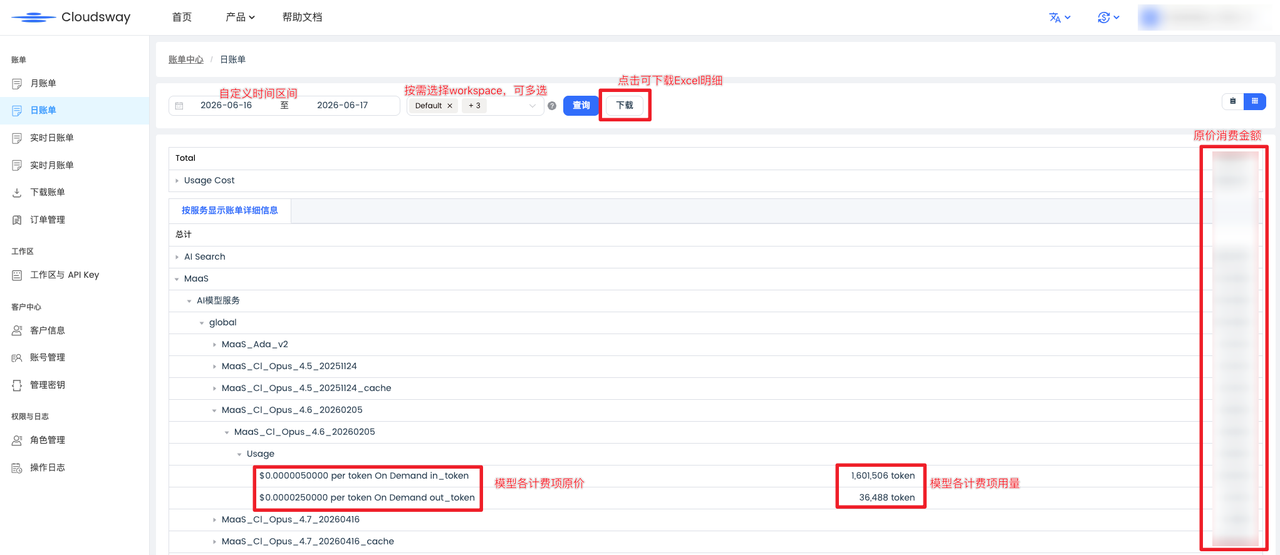
Manual Download on the Billing Page

By selecting the detailed bill, you can view the expenses allocated to each sub-account/workspace
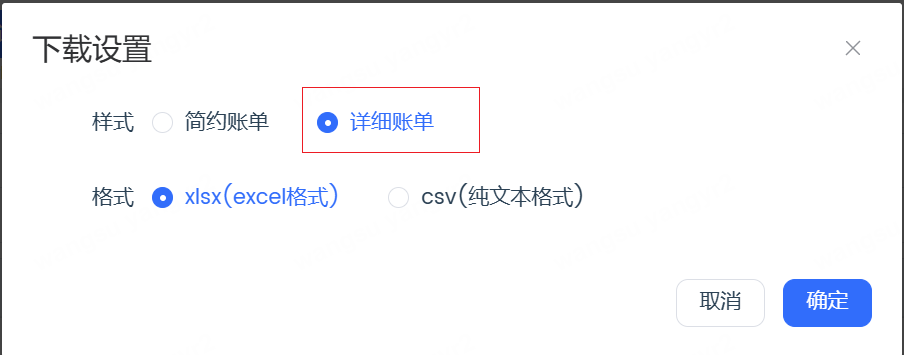
Fields that require special attention in the downloaded bill data
-
itemOperation: Billing Item
-
usageAmount: Usage Data
-
unblendedCost: Original bill cost
-
pricingUnit: Unit of Usage
-
currencyCode: Currency Code
-
loginName: Sub-account being called
-
ak: AK of the sub-account
-
workspaceName : workspace名称
Interface call to download the bill
Before downloading bills via the interface, you need toconfigure the bill recipient email address, and bill information will be sent by email at regular intervals
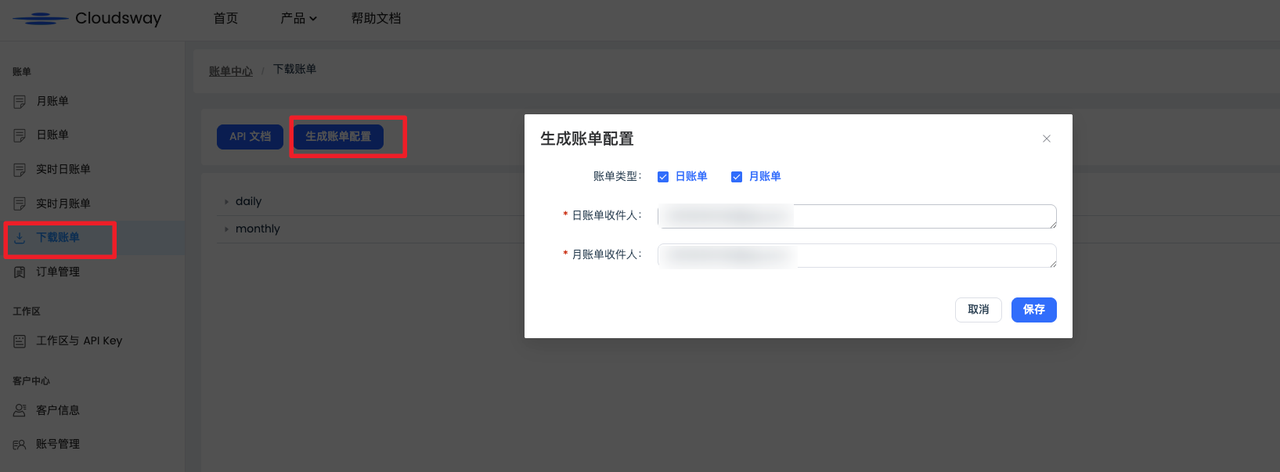
Call Example
wget -S "https://console.cloudsway.net/api/is/dl/csv?user={账号名}&ak={账号名对应的ak}&file=monthly/202505/账单文件.csv" -O 账单文件.csv
The specific name of the bill file.csv can be viewed here in the Console
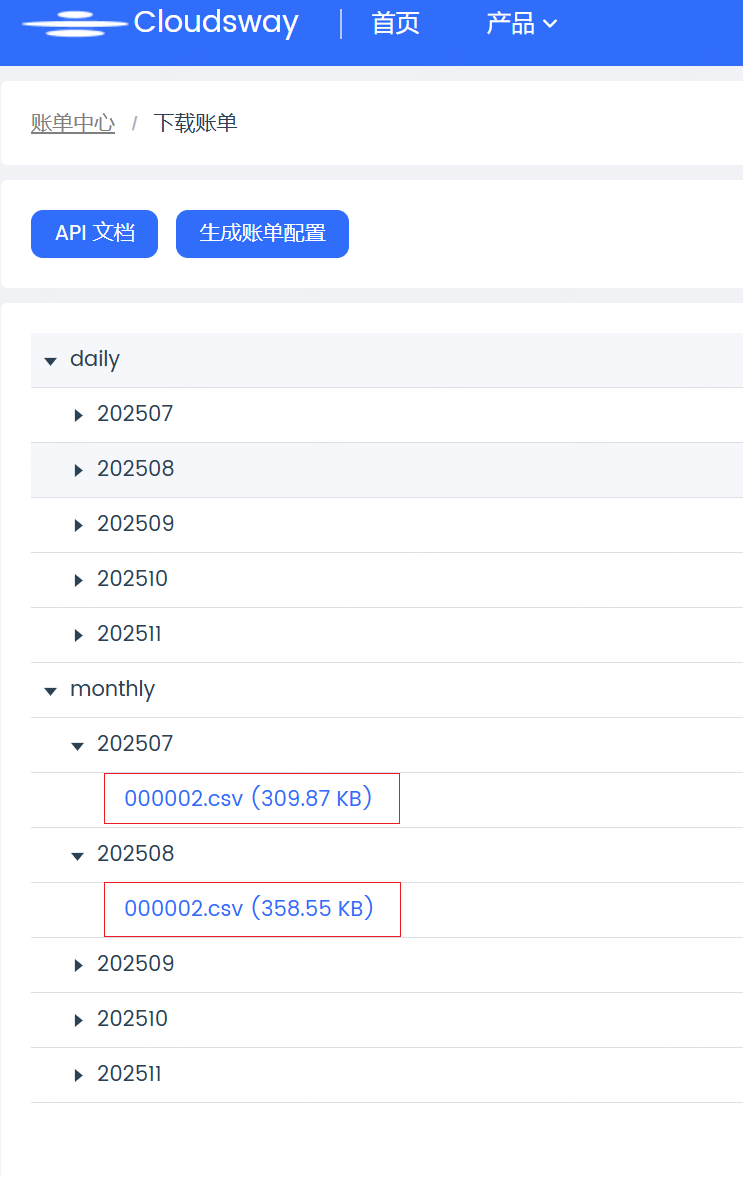
For example, to view the monthly bill for July 2025, you can call it like this
wget -S "https://console.cloudsway.net/api/is/dl/csv?user={主账号名称}&ak=******&file=monthly/{月份比如202505}/{客户编码,如果不清楚可以联系售后确认,比如000002}.csv" -O {客户编码,如果不清楚可以联系售后确认,比如000002}.csv
For example, to view the daily bill for July 1, 2025, you can call it like this